ZYPHER XP | PACIFIC CITY FIELD GUIDE
A useful weapon in Crackdown for Xbox 360 deserves a trip back to an Agency Supply Point. Picking it up gives you something to use now. Taking it back adds it to the armory you can draw from at other unlocked Supply Points. That is a good reason to interrupt the next rooftop detour.
This guide covers the original game's Supply Point system and a practical routine for building a more useful set of choices. It is about preparing for the next attempt, without claiming a particular boss route, speedrun or tested optimal loadout.
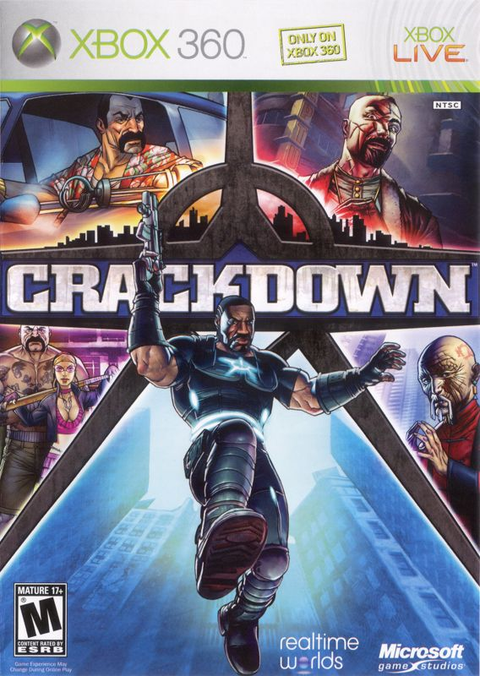
Featured image: complete North American Crackdown Xbox 360 back cover. Gameplay panels and service labels belong to the historical package, not a promise about current online access or included extras. Used with permission from Microsoft.
Give the return trip a purpose
The original Microsoft manual, preserved in this archive transcription, describes Supply Points as places to replenish health and ammunition, travel between claimed points and store confiscated weapons. A stored weapon becomes available at any unlocked Supply Point.
That combines three reasons to visit in one stop. You can recover, expand the armory and decide where to head next. Our recommendation is to treat a newly acquired weapon as a reason to check the nearest useful return route, especially if you want to try it again in a later session.
Do the collecting and the comparison as separate jobs. First bring back the weapon you intend to retain. Then decide whether to take it into the next encounter. Keeping it available is useful even when your familiar choice makes more sense for the immediate fight.
Use the map to build a route between stops
The manual points to an orange HUD beam when a Supply Point is nearby, and to active Supply Points on the map in Agency Info. It recommends claiming additional points early for instant travel between them.
Before setting out, choose a destination and identify a claimed point that makes sense for returning. Avoid making every outing an open-ended search for one more fight, one more weapon and one more climb. A short loop gives you a clear moment to return, replenish and choose another objective.
If you find yourself repeatedly crossing the same stretch of city, look at your available Supply Points before repeating the journey. This is a route-planning suggestion, not a promise that a marker is automatically convenient for every target. Think about where you want to arrive as well as where you currently stand.

Choose two weapons for two jobs
The manual says a departure from a Supply Point lets you choose two weapons and a handheld explosive. That limit makes a larger armory useful: you have alternatives to select from, rather than carrying everything you have collected into every encounter.
Consider the approach and the closer fight separately. If the first part calls for a weapon you can use comfortably at a distance, choose the second with the next part in mind. Two similar choices may suit your plan, but make that a decision instead of an accident. There is little point expanding the armory if you never look beyond the same pair.
Explosives deserve their own check. The manual describes Colby Limpet Charges as sticking to a target and allowing remote detonation, with stationary objects among their uses. That is a different tool from simply throwing something and expecting an immediate blast. Read the selected item's behavior before building an approach around it.
Our suggestion is to change one part of a familiar loadout at a time. Keep one option you understand while learning the other. Pay attention to the job it helps you do, then return to the armory with a reason to keep or replace it. A bigger collection should give you better decisions, not just a longer menu.
Make the next departure deliberate
At the end of a visit, decide whether the next trip is for exploration, another Supply Point or a gang target. Give that trip one main purpose. If you spot an interesting detour, you can change your plan, but do it consciously rather than forgetting why you left.
Before a boss attempt, our suggested check is brief: inspect your health, ammunition and selected weapons, then identify the point you intend to return to. The Supply Point system is useful because these preparations sit together. There is no need to turn a restock into a complicated ritual.
When a new weapon proves interesting, take the opportunity to store it rather than relying on remembering exactly where you found it. Over several outings, the result is a wider set of options that you can revisit from the claimed network.
Next time Pacific City's skyline distracts you, give the weapon pickup its return trip first. The next climb will still be there. Your armory will have something new waiting when you come back down.
Manual and native product listing checked November 12, 2026. Planning recommendations are Zypher editorial advice. Complete box shots are proportionally displayed under Microsoft's box-shot permission. Used with permission from Microsoft. Microsoft does not sponsor or endorse Zypher.