A downed Locust can tempt you into a very bad walk. In Gears Tactics, reaching an execution is only half the decision. The useful part is what the rest of the squad can do afterward, and whether the soldier making the trip will survive the position.
This is a practical guide to the PC game’s basic action economy, with recommendations drawn from The Coalition’s explanations. Keyboard references apply to the documented PC controls. The examples below are planning exercises, not reports of our own playtest.
Featured image: a Gears Tactics PC battlefield with a blue Overwatch cone, supplied in The Coalition’s post-launch May 4, 2020 guide. Used with permission from Microsoft.
Start with the squad’s next job
The Coalition’s gameplay explanation establishes three actions per unit, usable in different combinations. Moving does not automatically mean you must finish with a shot. An execution awards another action to the other squad members, excluding the soldier performing it.
Before spending anything, pick the turn’s necessary result. Perhaps a pinned soldier needs a way out. Perhaps an objective needs someone to reach it. That gives the extra action a purpose. “I can execute this enemy” is an opportunity; it is not yet a plan.
For a planning exercise, imagine two teammates who still need to reposition and one soldier close enough to finish a downed enemy. Work backward from where those teammates should end up. If the execution helps both reach useful positions, it has a clear job. If everyone is already where you want them, chasing that finish may add risk without solving much.
Check the route before the reward
Movement is free-positioned rather than locked to a square grid. The gameplay blog explains that distance can consume one, two or three actions. Overwatch uses a player-defined cone and can commit the remaining actions to defensive shots. Those rules make the route and the direction of the cone part of your plan.
Our recommendation is to inspect the entire approach before committing to a close-range finish. A tempting destination does not cancel the threats along the way. Keep enough of the squad’s turn available to deal with the enemy who is making that route unsafe.
For PC movement, the post-launch tips describe holding CTRL while clicking to place waypoints. Use that precision when a direct path would cut through a threat area. Check the displayed route and cost; do not assume a narrow-looking gap is automatically a safe shortcut.

A downed enemy can wait, but check the timer
The same post-launch guide explains that downed enemies eventually bleed out unless revived. On the documented PC controls, R activates Tac-Com; hovering over a downed enemy reveals the remaining turns. That gives you information for deciding whether to execute now or preserve the opportunity.
We would compare the present benefit with the next turn’s likely need. If the squad has already solved the immediate problem, an extra action later may be more useful. That is a conditional judgment, not a guarantee: a changing battlefield can remove the opportunity you hoped to save.
Interrupts also deserve a place in the plan. The Coalition identifies explosions as an interrupt method and distinguishes weapons with Disrupt from merely hoping a large hit will interrupt. Check the actual ability available to your soldier before building a move around it. A cooldown you forgot to inspect is a poor emergency exit.
Boss hazards can overrule the tidy sequence
The boss design blog describes the Corpser raising its legs before a slam, marking dangerous impact areas while exposing those legs to damage. You have competing demands: exploit the opening and get the squad out of danger.
Our advice is to resolve that conflict before spending the last actions on damage. A sequence that looks efficient against ordinary enemies can leave a soldier with nowhere useful to go when the boss’s warning area matters. Recheck each unit’s ending position, not just the health removed from the target.
Read the mission before reusing the plan
After the campaign, Veteran Mode uses side missions leading into Veteran Missions with distinct modifiers. The deployment screen is worth reading again even when the squad looks familiar.

Use a short routine: read the objective, identify the immediate threat, inspect movement, then decide what an execution would enable. Once you have chosen that purpose, spend the turn around it. Repeating the same move order without checking the mission is where a familiar squad can become an expensive assumption.
Find your next Gears game at Zypher
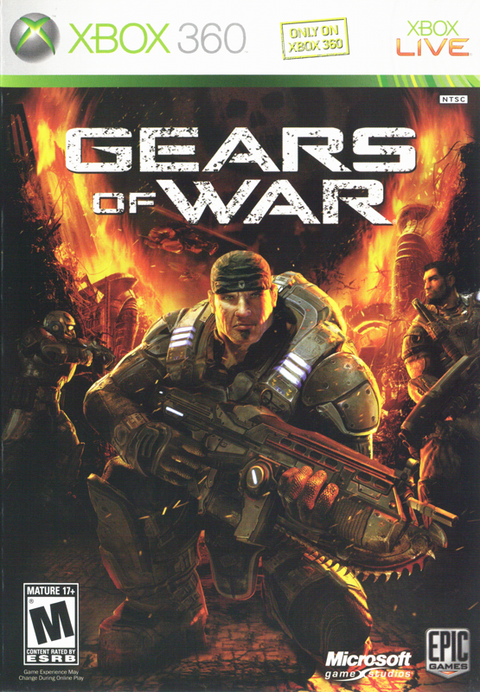
Browse Gears at Zypher Trading Video Games. The verified original Gears of War for Xbox 360 and Gears of War 4 for Xbox One listings are separate action games, not copies of Gears Tactics. Check the selected platform, condition and included contents.
Sell your old games to Zypher when you need shelf space, and check current eligibility and condition requirements.
Primary developer explanations, publisher storefront and native product listings checked November 8, 2026. Advice and planning examples are Zypher editorial interpretation. The three complete in-game images come from The Coalition’s post-launch May 4 and April 29, 2020 posts. They retain their original content and proportions under Microsoft’s screenshot guidelines. Used with permission from Microsoft. Zypher XP is independent; no endorsement is implied.