Four controllers on the sofa do not make a four-player Halo campaign. In Halo: The Master Chief Collection for Xbox One, the number of friends a campaign supports and the number who can share one screen are different limits. The PC release does not offer native split-screen.
That is worth sorting before everyone arrives with snacks and the wrong plan. This guide covers MCC's documented campaign and local-screen arrangements. Start with the campaign you want, then work out how your group can join it.
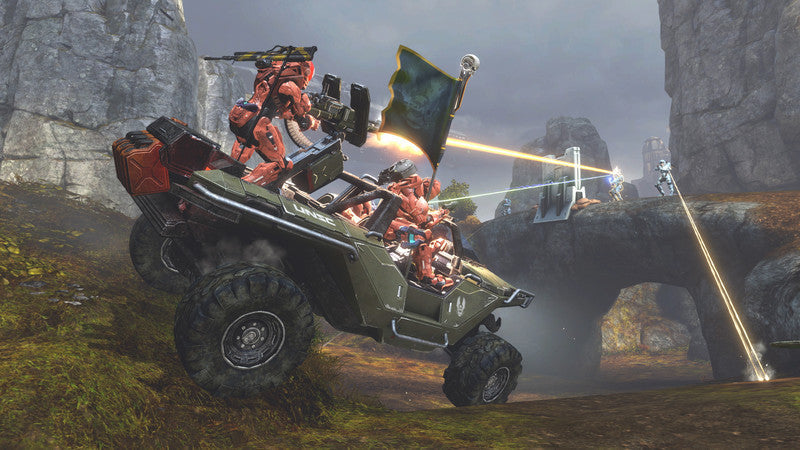
Featured image: a Warthog carrying a flag in a publisher-supplied Halo: The Master Chief Collection multiplayer screenshot. It illustrates the collection, not four-player local campaign support. © Microsoft. Used with permission from Microsoft.
The campaign limit depends on the game
Halo Support's mode breakdown separates the campaigns this way:
| Campaign | Co-op players | Sharing one Xbox screen |
|---|---|---|
| Halo: Combat Evolved and Halo 2 | Up to 2 | Up to 2 |
| Halo 3, Halo 3: ODST, Halo: Reach and Halo 4 | Up to 4 | Up to 2 |
The practical consequence is simple: choosing Halo 3 does not turn one Xbox into a four-seat campaign setup. A larger campaign group needs an arrangement beyond two people sharing that screen. Pick the game and the connection plan together. The current Xbox Store page lists Game Pass Essential, Premium or Ultimate as required for online multiplayer on console, with subscriptions sold separately. Factor that into an online plan.
Nor should “four-player Halo” automatically send a group into the campaign menu. Competitive multiplayer and story co-op are different plans for the evening, with different local limits.

PC co-op does not include native split-screen
The official MCC quick-start guide states that PC players can join friends over the Xbox network but cannot use split-screen. Connecting another controller does not add the Xbox console's native local-screen option to the PC release.
That distinction is especially useful when comparing purchases. For two people who specifically want one screen, examine the Xbox version. For PC, plan around separate players connecting over the network. This guide does not recommend or test unofficial split-screen modifications.
The Steam listing also requires an Xbox Live account and offers both the collection bundle and individual game content. Check what each player actually owns. A collection name in a library is less useful than confirming access to the campaign you have chosen.
Join the Xbox session before starting
For a two-person Xbox setup, the quick-start instructions call for two connected controllers. From MCC's main menu, open the Roster with X. The second player presses A on their controller and selects a profile. Check that both players appear in the session before launching the chosen campaign.
A guest can join using a temporary profile, but Halo Support warns that its save data is not retained after sign-out. If keeping progress matters, settle the profile choice before playing rather than discovering the difference after the session.
The same guide allows more than two local players in Multiplayer, while excluding those larger split-screen groups from the other modes. So the extra controllers can still have a job; they just do not change the campaign's two-person local limit.

Check access to Reach and ODST separately
Halo Support's ownership breakdown explains that Halo: Reach and Halo 3: ODST Campaign and Firefight were later additions, sold separately for Xbox One. Do not assume a used base-collection disc supplies those add-ons. The PC package has its own inclusion rules.
For an evening built around one of those campaigns, check access on the participating accounts before buying the collection again. Keep platform, ownership and player limits as three checks. A positive answer to one does not settle the others.

Plan the session, then pick your copy
Our recommendation is to agree on the campaign and number of local seats first, then confirm the software each player needs. Broad multiplayer labels are a starting point, not a promise about every mode or every platform combination. Verify the exact mode's current compatibility before mixing platforms.
Find your physical Halo at Zypher. Check Halo: The Master Chief Collection for Xbox One and read the selected copy's condition and included contents. This is the console listing, not a PC license or a promise of unused add-on codes.
Shop Zypher's games, or sell your old games to Zypher when you need more room. Sources and listing checked November 10, 2026. Recommendations are researched editorial advice, not a fresh connection test.


