A black PSP can collect fingerprints with the enthusiasm of a crime-scene technician. That does not mean it needs a stronger cleaning product every time you finish a game. For an original PSP-1001, Sony's care instructions are considerably less dramatic than the restoration videos competing for your attention.
This is routine exterior care for the North American PSP-1001, with PSP-1000-family photographs for identification. Other revisions need their own instructions. The goal is a handheld you can keep using, not a shiny shell concealing a new problem.
Featured photo: North American PSP-1000-family hardware by Evan-Amos, public domain. This reference photograph is not an after-cleaning result.
Start with the model and the power
Sony's PSP-1001 instruction manual, preserved as a public regulatory-document copy, places the model and serial information inside the battery compartment. For routine cleaning of an undamaged system, turn the system off, unplug its AC power cord and remove the user-removable battery pack.
If the battery pack is damaged or leaking, stop: Sony says not to handle it. Leave that condition to qualified service rather than continuing this routine. Put the game session away before starting the cleaning session. Finish any save first, and make room on a clear surface for the handheld, battery and cover. If you cannot keep track of three objects on the table, adding a bottle and a screwdriver is unlikely to improve the situation.
Read the label rather than identifying the revision from a seller's title or a distant photograph. Our instructions concern this original model, and they are not permission to open another PSP's casing to reach a battery.
Let the cloth do the boring work
Sony specifies gentle wiping with a soft cloth for the exterior and LCD. It prohibits solvents and other chemicals on the exterior. For dirty connectors, its instructions specify a dry cloth or cotton swab.
That gives routine cleaning a useful boundary. Work on accessible surfaces, with a clean cloth and light handling. Do not promote a stubborn mark into an excuse to improvise with a stronger product. A stain that remains visible is information about condition; removing it at any cost is a different project.
Keep the screen and surrounding shell in the same modest cleaning plan. This guide does not promise to remove scratches, reverse yellowing or restore a factory finish. Photograph existing wear if you want a clear record of what changed. “Before” and “after” are much more useful when the lighting is the same and nobody has quietly changed the console.

A port is not a place to experiment
Sony warns against inserting foreign objects into connectors or letting liquid and small particles enter the system. Its exterior-cleaning directions do not authorize opening the handheld or treating the optical mechanism.
If something looks lodged inside a socket, stop the ordinary wipe-down there. Photograph the location and describe the symptom for a qualified repairer. “The headphones cut out” and “there is debris visible in this connector” are useful observations. “It probably needs a good scraping” is a plan searching for a broken part.

Give storage its own decision
For extended non-use, Sony says to remove the battery pack and store it somewhere cool and dry, away from children. Keep it separate from metal objects such as coins or keys.
For the handheld, Sony warns against heat, humidity, direct sun, dust, smoke, heavy objects and strong impacts. Choose storage around those limits. A window display and a mixed bin of accessories solve different problems from protecting a playable system.
Our suggestion is to keep a simple record with the model, storage date, accessories and any known fault. Note whether a battery was removed rather than leaving the next owner to guess why it is absent. Keep missing parts and failed functions in the description if you later sell the system. A polished photograph should not have to carry the entire honesty department.
Check function separately from appearance
Once routine care is finished and the battery and cover are replaced according to the manual, assess the functions you use. Record any persistent fault separately from the cosmetic result. Clean buttons are not proof of reliable inputs, and a clear screen is not proof that a game loads correctly.
For the discs themselves, use our separate UMD shell and disc-care guide. Keeping the tasks separate makes it easier to stop when the issue is damage or repair rather than ordinary surface dirt.
Keep your PSP shelf playing at Zypher
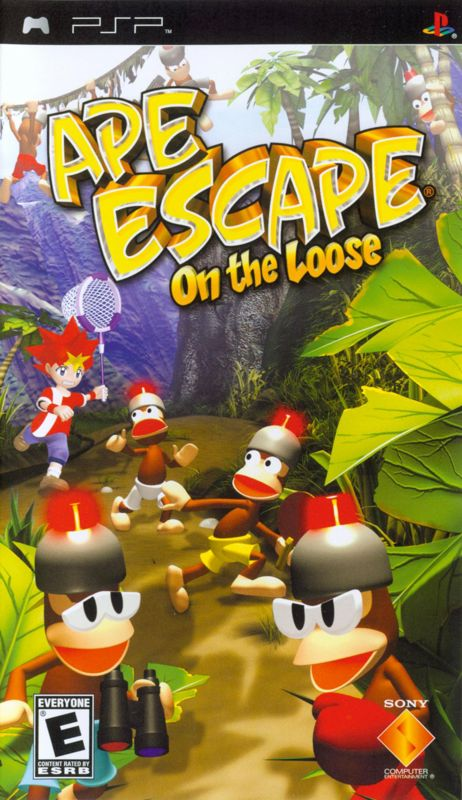
Looking for the next game? Check Zypher's actual PSP listings for Daxter and Ape Escape: On the Loose. Compare each copy's condition and included contents; a game listing does not promise a handheld, battery or charger. Shop Zypher's games, or sell your old games to Zypher when your collection needs room.
Model-specific Sony instructions, image permissions and Zypher product editions checked October 28, 2026. Inspection records and buying advice are Zypher editorial recommendations. No firsthand restoration, internal repair or cosmetic reversal is claimed.