Two Steam Deck listings can be separated by a substantial chunk of your game budget. Before paying extra for OLED, put that difference against a bigger battery, lighter hardware and a screen that can refresh faster. A used Steam Deck LCD can still be the sensible purchase, but only if its condition and price make the compromises worthwhile.
This comparison covers Valve's Steam Deck LCD and Steam Deck OLED hardware. The recommendations are Zypher editorial judgment based on Valve's specifications, not a new benchmark or battery test. Prices and local availability vary, so compare actual offers rather than a remembered launch price.
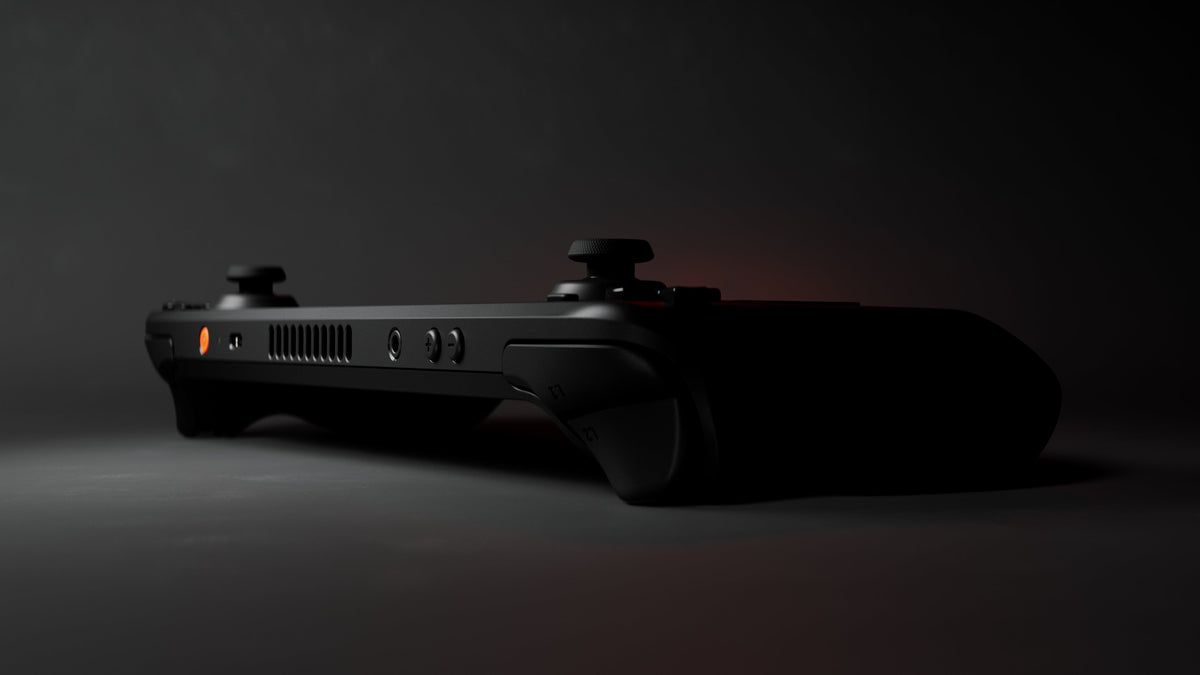
Featured image: Steam Deck OLED viewed from the left corner, with the screen out of view. Official Valve press-kit hardware rendering.
The screen changes more than the badge
Valve lists a 7-inch, 60Hz IPS LCD on the LCD model and a 7.4-inch HDR OLED panel running at up to 90Hz on OLED. Both have a 1280 × 800 resolution. The OLED gives you a larger picture, rather than more pixels to fit tiny interface text into.
Those are separate benefits. A larger display changes the handheld view; a higher refresh ceiling gives games room to display more frames when they can produce them. Buying a 90Hz screen does not make a demanding game run at 90 frames per second. The panel cannot negotiate with the graphics workload on your behalf.
For someone who plays mostly at the built-in screen, that combination is the strongest reason to favor OLED. If your main plan is a monitor and separate controls, the screen premium becomes less central to the purchase. Decide which situation describes most of your hours, rather than the most ambitious version of your future setup.

A useful specification comparison
| Detail | Steam Deck LCD | Steam Deck OLED |
|---|---|---|
| Display | 7-inch IPS LCD, 1280 × 800, 60Hz | 7.4-inch HDR OLED, 1280 × 800, up to 90Hz |
| Battery capacity | 40Wh | 50Wh |
| Approximate weight | 669g | 640g |
| Wireless network | Dual-band 2.4/5GHz Wi-Fi | Wi-Fi 6E, including 6GHz |
| Storage expansion | microSD slot | microSD slot |
The table explains why this is more than a panel replacement. It does not establish how a specific used unit performs today. In particular, an older battery's condition matters alongside its original capacity. Ask about that unit, not just its model name.
Battery estimates need a game attached
Valve publishes content-dependent gameplay ranges of 2–8 hours for LCD and 3–12 hours for OLED. Treat those as manufacturer ranges, not a promise that your chosen game lasts all afternoon. They are useful for understanding the intended improvement; they are a poor substitute for a relevant test of the games and settings you actually use.
For travel, our preference is OLED when the price difference fits the budget. The 50Wh battery gives the purchase a concrete advantage beyond the display. For mostly plugged-in play, a cheaper LCD deserves a much closer look. Saving money on a machine you will actually use beats paying extra for a travel routine that never happens.

Wi-Fi and storage are buying checks, not magic upgrades
OLED's Wi-Fi 6E adds a 6GHz option that the LCD specification lacks. That matters only as part of the network you can use. Don't value a feature as though your router and internet connection have already been replaced.
Both models accept microSD storage. That gives a smaller-capacity unit an expansion route, but it does not make every listing interchangeable. Confirm the installed internal capacity, whether a card is included, and whether the seller has changed the hardware. A listing photograph of a card slot is not an included memory card.
Check the games before choosing the screen
Valve's Deck compatibility system separates Verified, Playable, Unsupported and Unknown games. Playable can require user adjustments; Unknown means Valve has not finished checking. Read the detailed result for a game you care about rather than interpreting the category as a performance score.
Neither LCD nor OLED turns a PC library into a guaranteed handheld library. Our buying order is games first, individual unit second, display preference third. A lovely screen is limited consolation when the game that motivated the purchase needs a workaround you don't want to manage.

Which offer deserves your money?
Choose OLED when handheld display quality, longer unplugged sessions and lower weight justify the extra cost to you. Choose LCD when a meaningful saving survives a proper condition check. Before paying, ask the seller to demonstrate the screen, sticks, buttons, trackpads, charging and storage. That is a buying request, not a claim that Zypher has tested the unit.
Existing LCD owners have a different calculation. Work out which actual frustration OLED would solve before replacing a functioning machine. For maintenance rather than model selection, our Steam Deck care guide covers a separate set of decisions.
Build the physical shelf alongside the PC library
Shop physical console games at Zypher, checking the exact platform and condition on each listing. Those console copies are separate purchases from the PC library discussed here. Trading out games you no longer collect? Sell your old games to Zypher through our general Buy List. Check the current listing and included items before buying.
Specifications and compatibility definitions checked November 9, 2026 against Valve's OLED specifications, LCD specifications, model comparison and Steamworks compatibility documentation. Images are supplied in Valve's official press kit. No game artwork or third-party screenshots from those packs are reused here.


