Before pulling a PS5 out of the entertainment center, account for the disc inside it and the cables behind it. Even a short move can involve a loaded disc drive and cables that are still connected. A quick furniture shuffle deserves a little more planning than grabbing whichever white edge is closest.
This care guide focuses on original-design, disc-equipped PS5 hardware, using Sony's CFI-1116A safety guide for the physical precautions. Check your actual model's instructions for its base and fittings. Slim and Pro support hardware should not be identified from an older console's photograph.
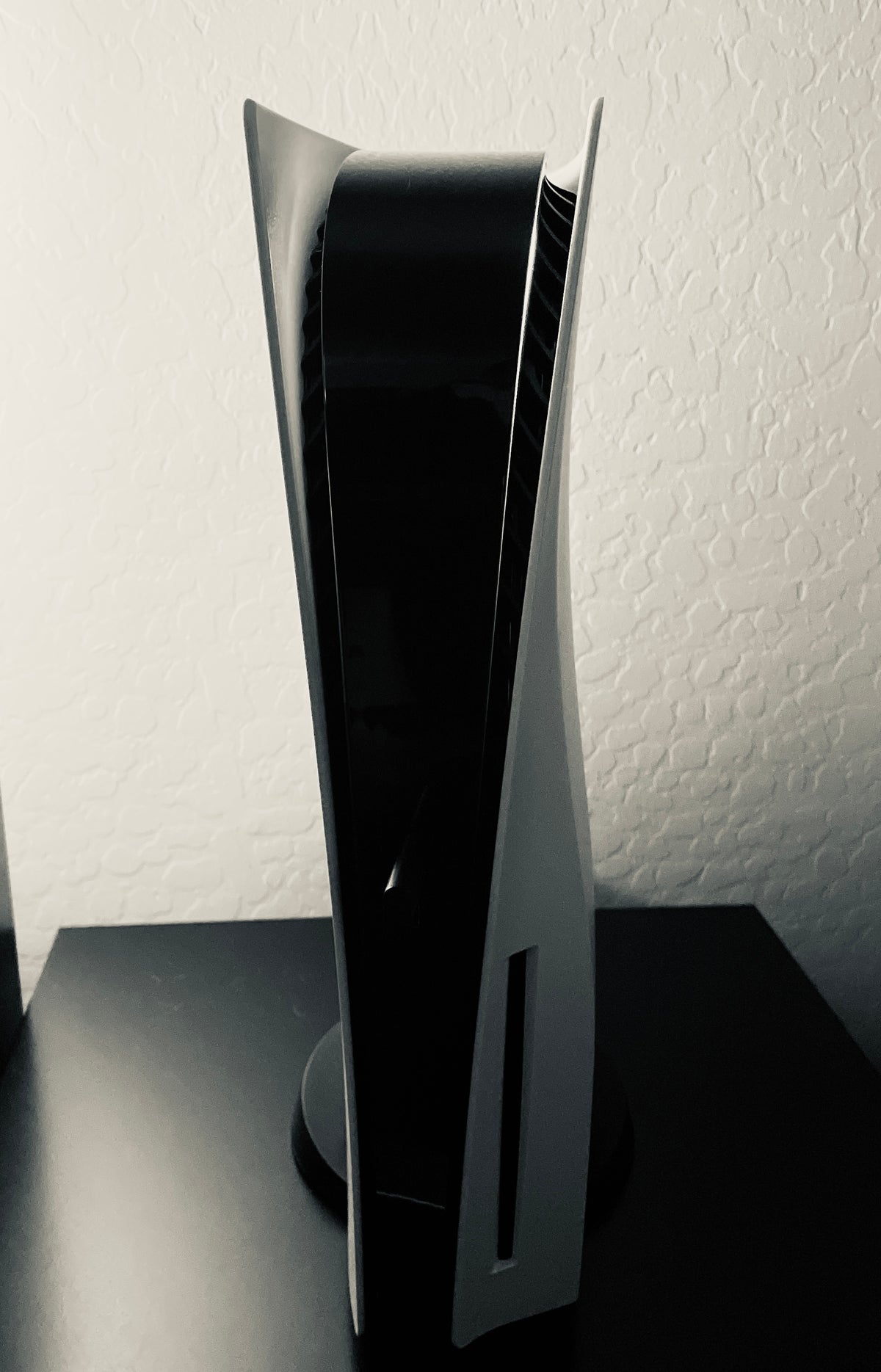
Featured photograph: an original-design PS5 with its disc slot and base visible. Ryan Bennett, CC BY-SA 4.0, unaltered apart from hosting compression and responsive display. The photograph does not establish the unit's exact CFI number or recommended wall clearance.
Prepare the destination before lifting anything
Decide where the console is going first. Our recommendation is to clear the route, make room for its base and check that the cables can reach without pulling the machine toward an edge. Do this before disconnecting equipment, while you can still see how the current arrangement fits together.
Sony's CFI-1116A booklet specifies at least 10 cm from a wall for ventilation and warns against closed cabinets, cramped spaces and covering the console with cloth. It also directs owners to use the included base.
Check the space as it will actually be used. A cabinet door that stays open during setup but closes for every game session changes the arrangement. So does the stack of games that gradually grows beside the vents. Leave the operating space clear instead of treating it as temporary storage for everything you have not put away.
Finish the session and remove the disc
Save through the game's normal process, finish any active save or transfer operation and remove the game disc before the move. Sony warns against changing the console's position with a disc inserted because vibration may scratch the disc or console.
Put that disc into its matching case now. It is easier to keep track of a game before the television stand fills with loose cables and controllers. If you are rearranging a collection as well, keep each disc with its own case rather than building a temporary stack that somehow becomes permanent.
If Ratchet & Clank: Rift Apart for PS5 is your current game, put it back in its case before lifting the hardware. Keep that case with your game shelf so the next session does not begin with a search through moving boxes.

Use Turn Off PS5 and wait for the indicator
Sony's power instructions direct you to the control centre, then Power > Turn Off PS5. The indicator flashes white before going out. Rest mode is a low-power state, while Restart PS5 turns the console back on.
The safety booklet says not to move the console while its power indicator is lit or blinking, and not to disconnect power until that indicator is off. Watch the machine finish shutting down before reaching behind the furniture.
Keep the sequence deliberate: complete the work, choose shutdown, observe the indicator, then disconnect. Do not turn a deadline to leave the house into a reason to skip the one confirmation the console provides. If shutdown is not behaving normally, stop and use the appropriate PlayStation support procedure.
Disconnect by the plug and support the console itself
Sony says to unplug before moving, grasping the power plug and pulling straight out rather than tugging the cord. It also warns against carrying the console by its cover alone.
Our practical advice is to photograph the connections before disconnecting the rest of the setup, then keep each cable with the device it belongs to. A small label can save you from reconstructing an entire entertainment center from a pile of nearly familiar connectors.
Set loose controllers and accessories aside before lifting the console. Choose a clear place to set it down, and take a separate trip for the other equipment. Carrying everything in one arm may reduce the trip count, but it makes every loose object part of the same balancing act.

Reconnect carefully, then return to the game
At the destination, use the base setup specified for your actual model and intended position. Check the route of each cable before connecting it. Keep the saved connection photo available until the picture, sound and controller setup are working as expected.
Passing hardware to another owner involves separate account and data decisions. Finish those through the appropriate manufacturer instructions before the handover. Our PS4-to-PS5 save-transfer guide covers a different job: checking progress before retiring an older console.
Put the next PS5 game on your Zypher shelf
Buy your next physical game from Zypher Trading Video Games. Check our Ratchet & Clank: Rift Apart and Marvel's Spider-Man: Miles Morales for PS5 listings. Read the selected condition and included contents. These are game listings, not console or accessory bundles.
Shop Zypher's games, or sell your old games to Zypher. Manufacturer guidance, photograph permissions and native listings checked November 4, 2026. Arrangement and organization suggestions are Zypher editorial advice.


