SOMA's Safe Mode keeps its creatures but stops them from killing you. That makes it worth considering before you start, especially if you want the science-fiction mystery and find repeated monster encounters more exhausting than exciting. The important detail is what remains: exploration, puzzles and the story still need your attention.
Our recommendation is to choose around the kind of pressure you enjoy. Normal suits a player who wants survival to interrupt investigation. Safe suits a player who wants to keep investigating. Neither selection makes the game's subject matter cheerful.
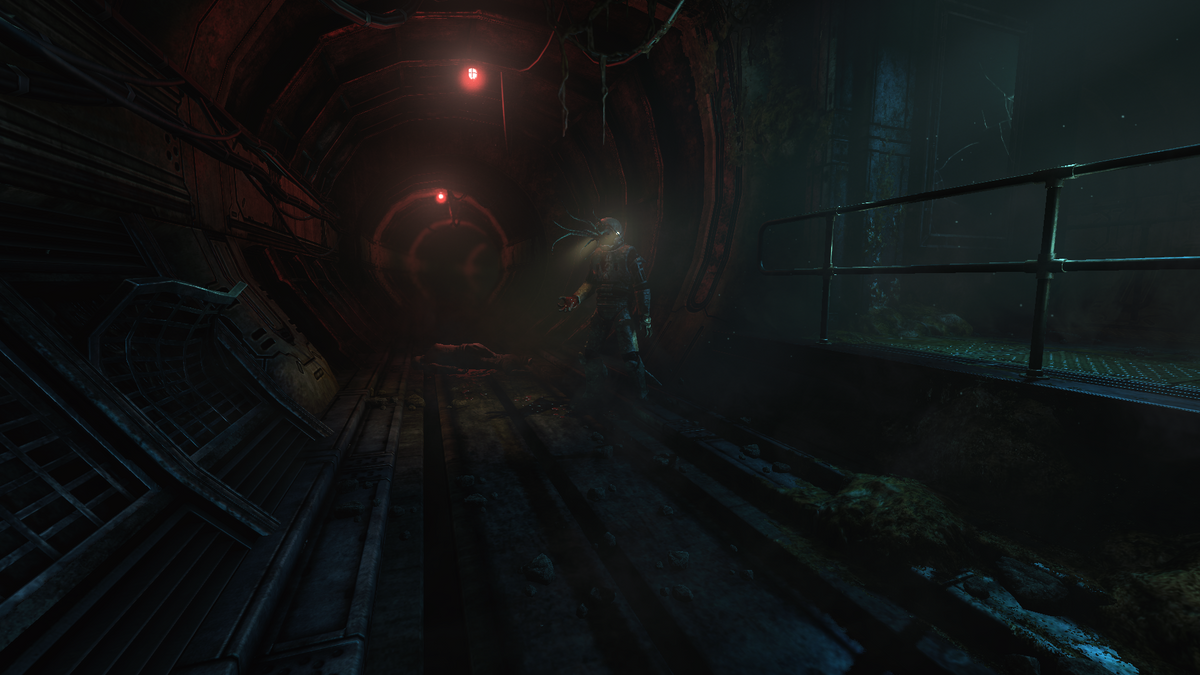
Content note: disturbing horror themes and creature imagery. Featured image: an altered humanoid in a SOMA corridor, from Frictional Games' official PC press screenshots. © Frictional Games. These archival promotional images do not demonstrate Safe Mode behaviour.
Make the choice when starting a new game
Frictional's official Safe Mode explanation places the Safe or Normal selection at the start of a new game. Look for that choice before committing to a campaign. This guide follows the developer's documented option rather than recommending a mod or a save-file edit.
Safe Mode arrived alongside the Xbox One release in December 2017, with Steam and GOG support at the same time. It is an established alternative way to play, not a new Halloween update.
| Your priority | Our suggested choice |
|---|---|
| Surviving hostile encounters is part of the attraction | Normal |
| Following the mystery matters more than encounter failure | Safe |
| A game with no disturbing material | Read the content advisory before choosing SOMA |
The creatures stay, and they can still react
The developer describes redesigned creature behaviour, with hiding no longer required to finish the game. Puzzles and events remain. Safe Mode is therefore a change to encounters, rather than a shortcut that solves the investigation for you.
There is a useful qualification in Frictional's later Q&A with Ian Thomas: creatures can attack if provoked, but they will not kill you. Do not read the mode name as a promise that every creature becomes passive scenery. A reaction can still be startling when you are close enough to have invited it.

Our advice is to give a strange presence some room even when you know it cannot end the run. You can be curious without treating every encounter as an invitation to walk into something's face. Underwater research already appears to have enough workplace problems.
Use the breathing room to investigate
The publisher's PC description frames PATHOS-II as an isolated underwater facility, with terminals, documents and inhabitants to investigate. Its mystery concerns consciousness and human identity. Understanding that place is part of the attraction, rather than an optional reward for liking monster encounters.
A practical way to approach Safe Mode is to set yourself a small investigative goal: understand the room you have reached before rushing toward the next destination. Read what you find, listen to the people you encounter and consider how the surroundings fit their account. You do not need an ending explanation open in another tab to do that.

Keep a walkthrough for the specific obstacle that has stopped you, if you need one. Reading several chapters ahead to answer a local question is an expensive trade when discovery is your reason for playing. That is our spoiler-conscious recommendation, not a claim that the game has a correct pace.
Safe does not mean a lighter story
In the same Q&A, Thomas explains that the team's ambition included horror players would think about after putting the controller down. He also describes using moral questions without supplying a single fixed answer. That is a useful expectation to carry into either mode.
Changing the encounter rules does not make those questions easier to settle. Our reading is that Safe Mode gives you more room to consider them. Whether that feels more comfortable is personal: escaping a pursuer and thinking about an uncomfortable idea are different demands.
Check the developer's mature-content advisory on Steam. It includes gore, violence, non-sexual nudity, suicide references and strong language. Safe Mode should not be treated as a family-friendly edit or a guarantee against distress. Choose another game if the material itself is what you want to avoid.
Check the edition, then build your horror shelf
The current Steam listing identifies SOMA as single-player and lists Windows, macOS and Linux versions. Check its current requirements against your computer; the archival screenshots are not a current performance test.
For another horror game to consider, read our PC horror Top 25. Its ranking is editorial judgment; this guide's narrower job is helping you choose SOMA's encounter rules before starting.
Buy your next physical horror game from Zypher Trading Video Games. Browse Alien: Isolation, Nostromo Edition for PS3 or the separate Xbox 360 edition. These are Alien: Isolation listings, not SOMA. Read the selected condition and included contents, and do not assume an old bonus code is present or redeemable.
Shop Zypher's games, or sell your old games to Zypher to make room. Developer sources, image provenance and store listings checked October 31, 2026. Mode recommendations and reading advice are Zypher editorial judgment.
Media: unmodified archival game screenshots distributed through Frictional Games' official press kit, with responsive display sizing. No new Zypher playthrough or current performance test is claimed.


