The awkward part of a Stardew Valley tool upgrade is often the day when the tool is sitting at the blacksmith and your plan still expects it to be in your backpack. A better axe is useful. A plan that requires chopping trees while Clint has the axe has a rather obvious hole in it.
Start by choosing the job you want to make easier, then decide when you can manage without the tool. That order is more useful than upgrading everything simply because the next material tier is available.
Shopping for a physical copy? The linked Zypher listing is the Collector's Edition for Xbox One. Read that copy's stated contents before counting on any extras. The tool-planning advice here concerns the game, and the accompanying screenshots come from ConcernedApe's PC press materials.
Give the upgrade a specific job
Think about the task eating the part of the day you actually care about. Clearing trees points you toward the axe. Mining trips give the pickaxe a clear job. A large planting project makes the hoe more relevant, while a crowded morning watering routine puts the watering can in the conversation.
The point is to identify a bottleneck you recognize. An upgrade is easier to judge when you can name the job it should improve. A vague desire for a better-looking set of tools gives you less guidance about which one deserves the first trip to the blacksmith.
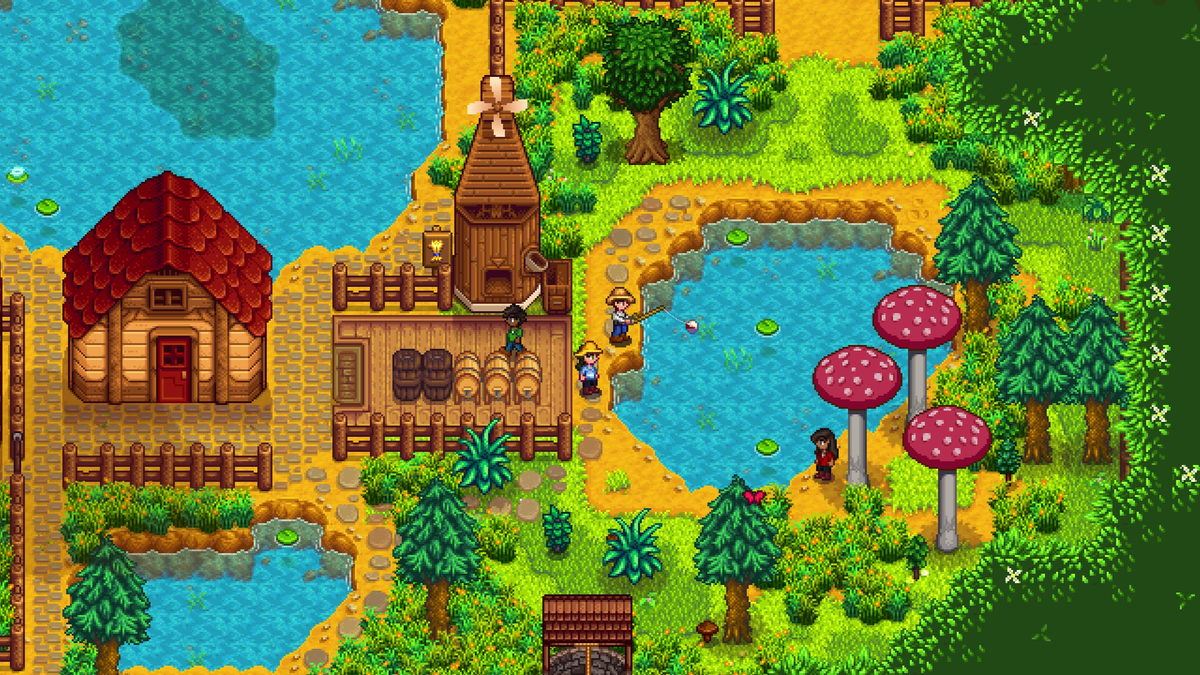
Avoid treating another player's preferred order as a universal rule. The farm in the official capture has established crops, machines and animals. A new save with a much smaller working area has different priorities. What is sensible for one of those farms can be premature for the other.

Count the return trip, not just the waiting period
The game's developer-linked wiki describes a blacksmith upgrade as taking two days. In practical terms, you can use the tool on the delivery day, leave it with Clint before the shop closes, spend the next day without it, and collect it on the following day.
That final collection matters. The tool does not reappear in your backpack because the upgrade is ready. Leave room in the day's plan to go and get it before scheduling work that depends on it.
Try writing the sequence in plain terms: finish today's job, deliver the tool, choose tomorrow's different activity, collect the upgrade, resume the original work. It is a small planning change, but it prevents the workshop delay from turning into an unexpected second problem.
The upgrades also follow the material sequence. You cannot jump from a copper tool straight to iridium. Check the next required step and its actual cost in your own save rather than collecting materials for a tier the tool cannot reach yet.
Give the watering can its own check
Unlike a project you can simply postpone, a planted crop layout gives you a recurring routine to account for. Before handing over the watering can, decide how watering will be handled while it is away.
Check the weather forecast before choosing the delivery day. Water today's crops before handing over the can. If the next day brings rain, that can cover an outdoor watering day while the can is away. Sprinklers can also change the calculation, but walk the actual crop layout first: a sprinkler beside a field is only helpful for the tiles it reaches.
Rain does not water greenhouse crops or indoor garden pots. Winter also needs a check rather than a blanket assumption that nothing needs watering: Winter Seeds and Powdermelon still give the can a job. Account for those before treating the tool's absence as a free day.
The same logic applies when an upgrade looks convenient on paper but awkward on the current calendar. You can delay the workshop visit. Having the necessary materials does not create a requirement to use them immediately.

Make the tool's day off useful
Pick an activity that does not depend on the missing item. Fishing can be a sensible alternative while a clearing tool is being upgraded. Social visits or a different part of the farm routine may fit better if you do not want another long outdoor task.
That is an option, not a claim that every alternative is available on every date. The winter Night Market pictured below, for example, is a seasonal event. It illustrates a different way to spend an evening, not somewhere you can visit whenever an upgrade happens to be underway.
For a shared farm, make the plan explicit. Tell the other players which tool is away and what job you intended to handle. Our co-op setup guide covers the separate question of getting a group connected; a good connection still does not tell the group who was supposed to clear the field.


Fishing equipment follows a different purchase decision
Do not assume every useful tool improvement is the same blacksmith transaction. Fishing rods have their own purchase and equipment considerations. If fishing is the activity you want to improve, check the rod's stated capabilities and the requirements for the equipment you intend to use with it.
Treat the rod and the blacksmith queue as separate plans. You can spend the axe's day away fishing with equipment you already own, then decide later whether fishing deserves its own purchase. One upgrade does not need to turn into a shopping trip for every activity in the valley.
Upgrade the routine you actually have
After collecting the tool, spend a little time on the job that motivated the upgrade. Notice whether the original problem has changed before immediately planning the next tier. That comparison makes later spending decisions more concrete.
The best upgrade order is the one that fits your farm's present workload and gives you a sensible plan for the missing tool. Pick the job, choose a workable delivery date, and remember the collection trip. Clint can improve the equipment. The calendar is still yours to manage.

Find your physical copy at Zypher
For the named Xbox One release, read the Stardew Valley Collector’s Edition listing for its current condition and included contents. Browse more games, or check how to sell your old games to Zypher.
Sources and image credits
- Stardew Valley Wiki, linked by the developer: Tools
- Stardew Valley Wiki: Watering Cans
- ConcernedApe: official press screenshots
Official ConcernedApe PC press screenshots reused from existing Zypher-hosted assets. Images are unaltered and show archival promotional saves, not a newly tested farm or the contents of a used physical copy. The developer-linked wiki is community-maintained game documentation. Sources and store links checked November 15, 2026. No publisher endorsement is claimed.


