
Your favorite survivor can be exactly the person another State of Decay 2 community needs. They can also be the person currently carrying the weapon you spent ten minutes looking for. The Legacy Pool makes those two facts part of the same management job.
For the updated State of Decay 2, Undead Labs’ Forever Communities changes made it possible to keep a community after completing a Legacy and recruit people from the pool into an active community. Use those options deliberately: finishing a story, moving a survivor and beginning another stretch of survival are different choices.

Separate a community’s next chapter from a survivor’s move
Update 30 gives a completed Legacy two broad outcomes: disband the community or continue playing with it. Before continuing, you can send selected survivors to the Legacy Pool; those people will not remain in the continued community.
That makes the end screen worth reading as a roster decision. If you like the existing group, identify who you want to keep together. If another community needs a particular survivor, decide that before accepting the next step.
Our advice is to think in terms of the people you want to play next. The game gives you room to preserve a group’s continuity or move individuals elsewhere. Choosing one option because it sounds vaguely like “keep my progress” is less useful than knowing which people will actually be in the next community.
Send someone with their belongings in mind
The developer notes say survivors can be marked for the Legacy Pool from the Community Screen, then sent by talking to the marked person. They take their current inventory with them.
Inspect that inventory first. Consider what the survivor should arrive with and what the current group still needs. A useful tool left on the wrong person can turn a planned roster change into another round of searching.
It helps to give the move a reason. Perhaps you want an experienced survivor available for a different group, or you are deliberately making room in the current roster. Either way, check the person’s equipment as part of the decision rather than treating the pool as a button to press before looking at the consequences.
Use the pool as an inventory you can actually read
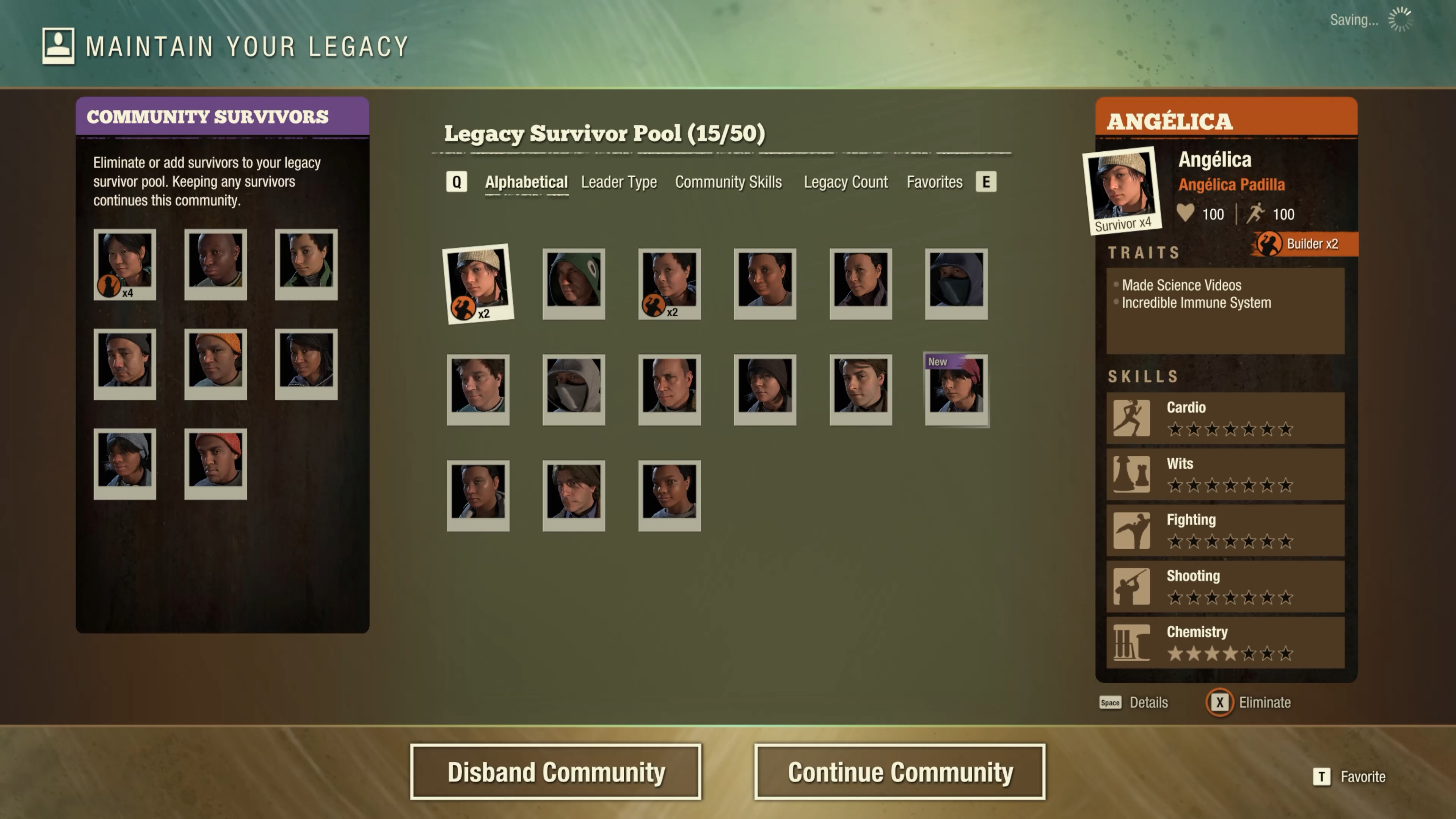
The refreshed Legacy Pool includes filters for name, leader type, community skills, Legacy count and favorites. The developer also made survivor inventories visible from their details.
That gives you a more useful search than remembering a face and hoping you have picked the right person. If you are looking for a particular community skill, use that information. If you are trying to locate a carried item, open the details before recruiting somebody just to inspect them.
Favorites can help keep a small set of important survivors easy to find. Our suggested habit is to mark the people you deliberately want to revisit, rather than marking everyone and making the distinction meaningless. The useful label is the one that saves you time on the next visit.

Recruit toward a need in the active group
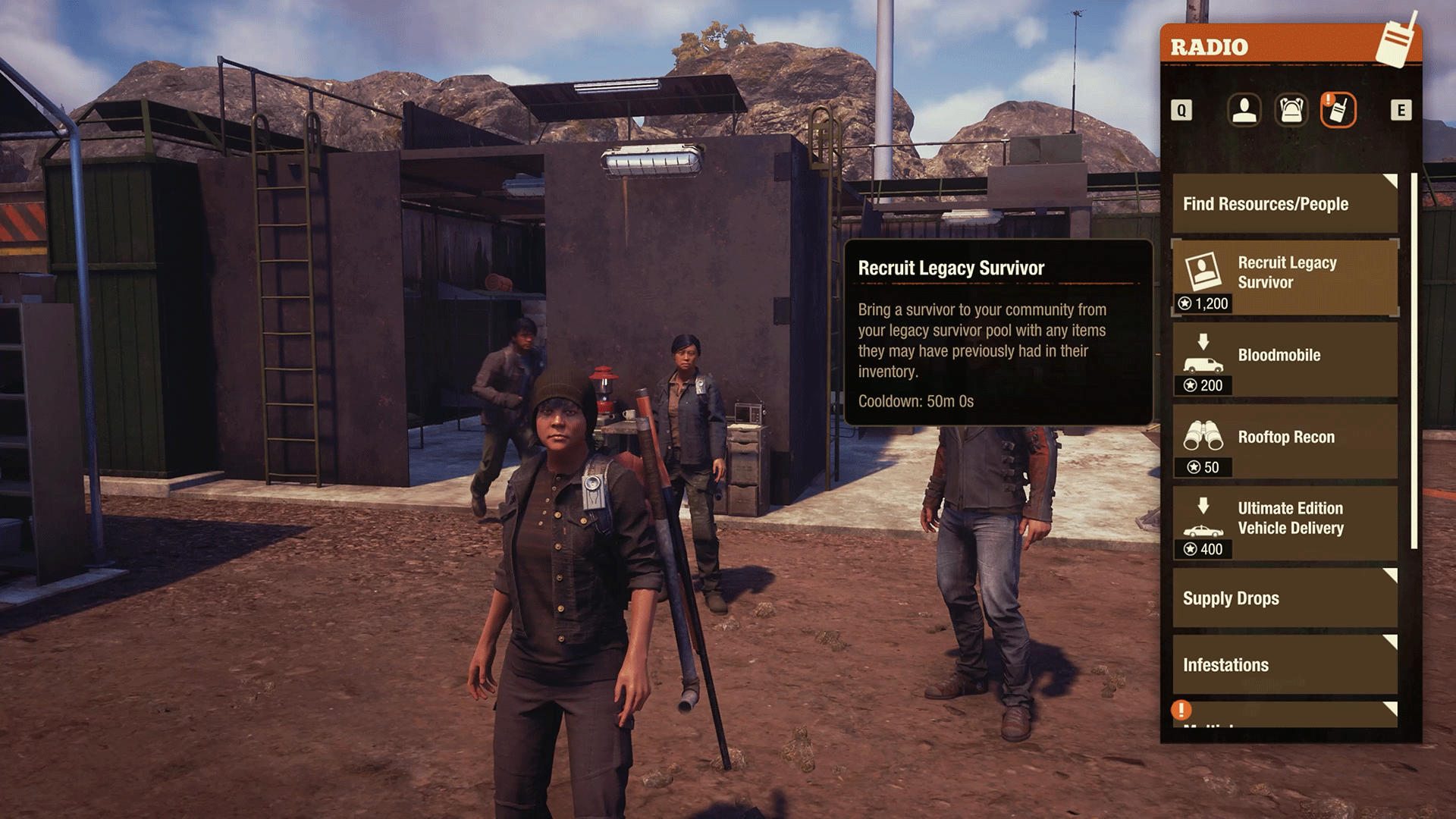
Legacy recruitment is available through the radio menu. That is the starting point identified in the official update notes for bringing a pooled survivor into a current community.
Before using it, identify what the active group needs from the newcomer. Look at the survivor’s displayed skills, role and inventory, then decide whether they fit. A familiar survivor can be appealing without being the best match for the particular job you have in mind.
Check the recruitment requirements and costs displayed by your installed game before confirming. Make sure the active roster is ready for the person you intend to bring in.

The supply locker belongs to the continuing community
Undead Labs explicitly says a community that continues after completing a Legacy keeps its supply locker contents. That is separate from the carried inventory of a survivor sent to the pool.
This distinction is the one to keep clear when planning several moves. Inspect the active community’s stores and the individual survivor’s possessions as two different records. Do not rely on a vague memory of having “saved the character” to tell you where an item is.
A useful pause before committing is to check the people remaining, the people moving and the equipment each is carrying. That small review makes the next chapter easier to begin, particularly if you are returning after a break and no longer remember why everybody was dressed for a different job.

Keep the next community easy to understand
Forever Communities arrived in August 2022. Its management options are especially useful when you return to a long-running community or want to bring an old survivor into another group.
Choose one clear action for the next visit: continue the group, prepare a survivor for the pool, locate someone’s equipment or recruit for a specific need. You can make another decision once that first move is complete.
Zypher’s linked physical listing is the Xbox One game. Match your copy and installed updates to the features you intend to use. The images on this page show PC Juggernaut Edition gameplay and the developer’s Legacy Pool interfaces, with those interface images identified individually.
Find your next game at Zypher
Browse Zypher’s game selection and check the platform, edition and listed contents before choosing a copy. Making room on your shelf? Visit our trading and selling page to see how selling to Zypher works.