Classic Controller Pro and Wii U Pro Controller are different accessories. The similar names deserve a second look before you buy. For a Wii Classic Controller setup, establish the exact pad, its connection to a Wii Remote and a game that supports it.
The useful comparison is between three identifiable pieces of hardware, rather than a vague promise that a pad works with Nintendo. Here is how to check a listing and set up a supported game test.
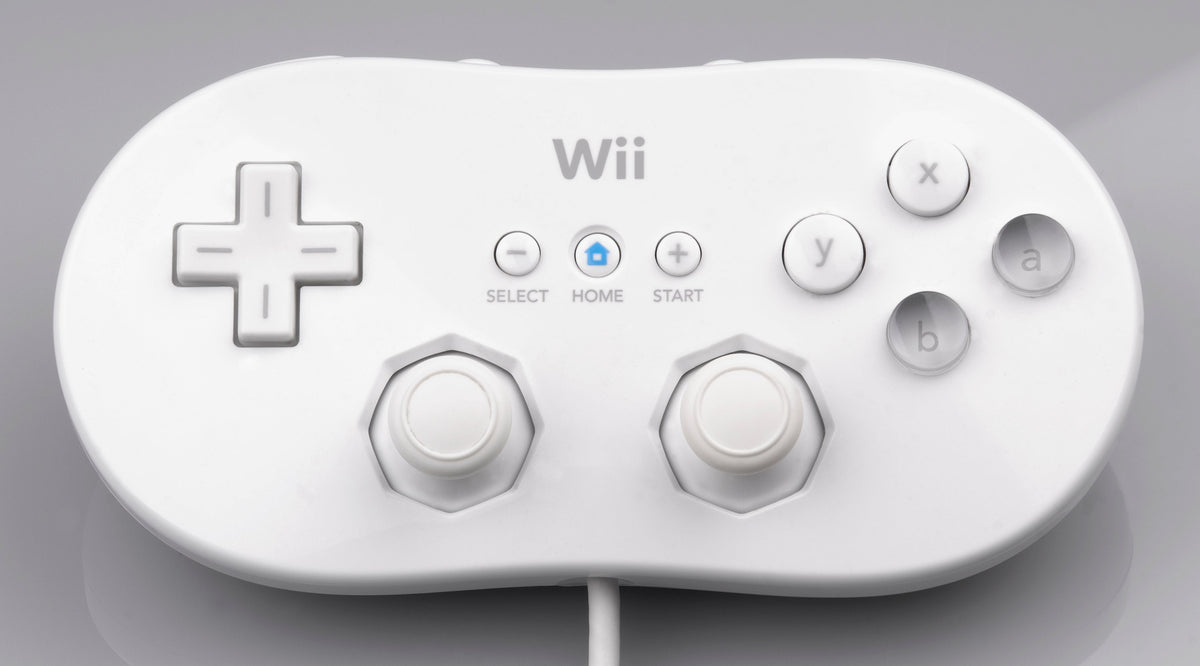
Featured photograph: the original white Wii Classic Controller, by Evan-Amos, released into the public domain. No cropping or compositional changes.
Follow the cable to the Wii Remote
Nintendo's setup instructions put the Classic Controller's plug in the External Extension Connector on the bottom of the Wii Remote. They also describe feeding the wrist-strap cord through the connector hook. Follow that illustrated procedure for your hardware rather than forcing a plug into a socket that looks vaguely promising.
The short cable does not make this a controller that plugs directly into the Wii console. Nintendo's accessory description explains that the Wii Remote provides the wireless connection to the console. Include a working remote in your plan.
Once connected, Nintendo says to set the remote down and hold the Classic Controller with both hands. The remote does not need to face the console. Keep the cable and connected remote accounted for when choosing where to sit.
Original or Pro? Look at the shape and layout
The original Classic Controller and Classic Controller Pro are distinct designs. Nintendo identifies the Pro's added hand grips, shoulder-button arrangement, wider spacing between the sticks and cable exit at the top. Those are useful things to inspect in a listing photograph.
| Detail | Classic Controller Pro |
|---|---|
| Grip shape | Handles on both sides |
| Shoulder buttons | ZL and ZR below L and R |
| Stick spacing | Further apart than the original |
| Cable | Exits at the top and connects to a Wii Remote |

Choose between them for the shape and layout you want to hold. Do not let the word Pro do the shopping for you. A seller's photograph of the actual pad is more useful than a title that mixes several Nintendo controller names together.
The Wii U Pro Controller is a different accessory
Nintendo's Wii U operations manual, in the Wii U Pro Controller section, says that device works with Wii U software supporting it. It has its own USB charging port and synchronization controls. It is not the Classic Controller Pro that attaches to a Wii Remote.

Read the full product name and inspect the connection. Buying a different generation's Pro Controller is not an upgrade path for a game asking for the Wii attachment. This guide concerns the original Nintendo accessories, not third-party adapters or controllers advertising extra compatibility.
Choose a supported game before testing
Nintendo says compatible games show the Classic Controller icon on their packaging. Check the exact game's instructions as well. Support is a software requirement, not something you can infer from two analog sticks.
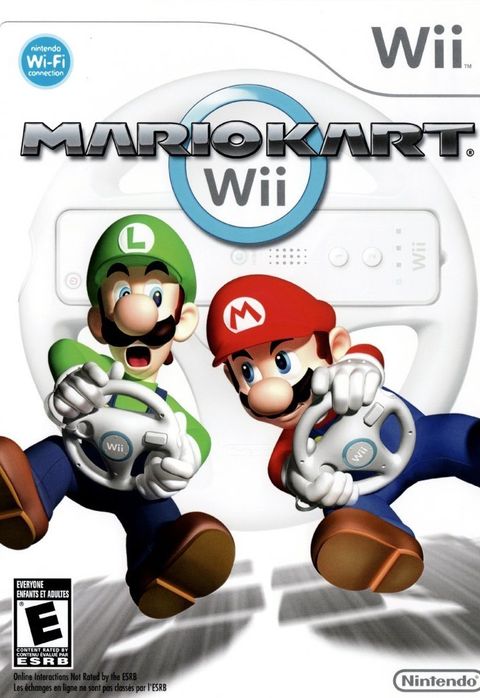
Mario Kart Wii for Nintendo Wii is a concrete example. Nintendo's original instruction booklet, preserved as a scan, lists the Classic Controller among its control options. It also gives controller-change instructions: change at the title screen, not during a race. Use that procedure when checking the pad instead of pulling connections in the middle of a lap.
The booklet's Classic Controller diagram supplies the control mapping. Try steering, accelerating, braking and item use in the supported game, then compare anything unexpected with the diagram. Test a few inputs deliberately rather than treating menu navigation as proof that everything works.
Old Nintendo pages also discuss Virtual Console downloads. The Wii Shop is closed to new purchases; those descriptions are not an invitation to buy a new Virtual Console library today. Plan around software you actually own or a verified compatible physical game.
Inspect the cable, then isolate a fault
For a used pad, ask for clear photographs of the controller, cable and connector. Nintendo's troubleshooting guidance specifically calls out frayed wires, nicks, kinks and debris at the connection. Cosmetic condition and a working input test answer different questions.
If the controller does not respond in a supported mode, Nintendo recommends fresh Wii Remote batteries and, where possible, trying another remote or another Classic Controller. That comparison matters: a pad working on a second remote points toward the first remote's connection. Several pads failing on the same remote gives you a reason to investigate that remote's connection.
Keep the test method consistent. Record the game, remote and pad used, then change one component. This is a buying and diagnosis check, not a reason to add solvents, scrape contacts or open the controller. A damaged cable should affect your purchase decision before an optimistic cleaning plan does.
Build the game setup with Zypher
Buy your next game from Zypher Trading Video Games. Check Mario Kart Wii if you want a physical Wii game with a documented Classic Controller option. Read the listing for condition and included items. A game listing does not automatically include the pad, Wii Remote or wheel.
Shop Zypher's games, or sell your old games to Zypher when you are making room. Manufacturer guidance, the exact game edition, image licenses and store listing checked October 31, 2026.