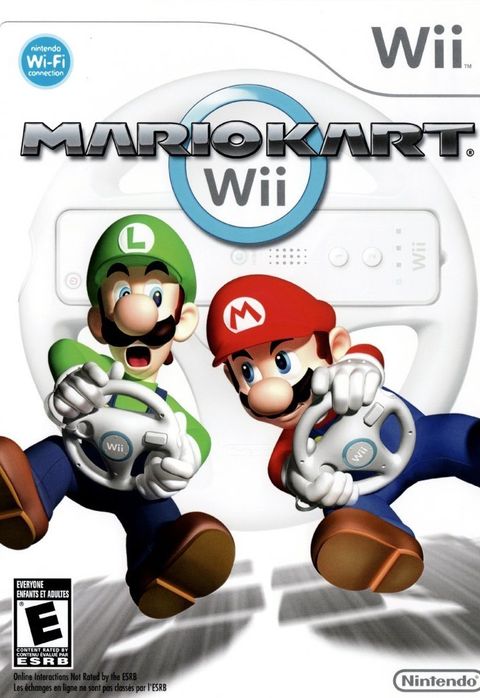
Mario Kart Wii does not require the plastic Wii Wheel. Nintendo's original booklet explicitly supports the Wii Remote on its own as well as inside the wheel. If you have found your disc but cannot find the white steering ring, you have not lost the key to the Mushroom Kingdom's garage.
The more useful question is which control style you want. Here is how to approach the original Wii game without buying an accessory you do not need, confusing a wheel with a complete controller, or treating an old online feature list as a current promise.
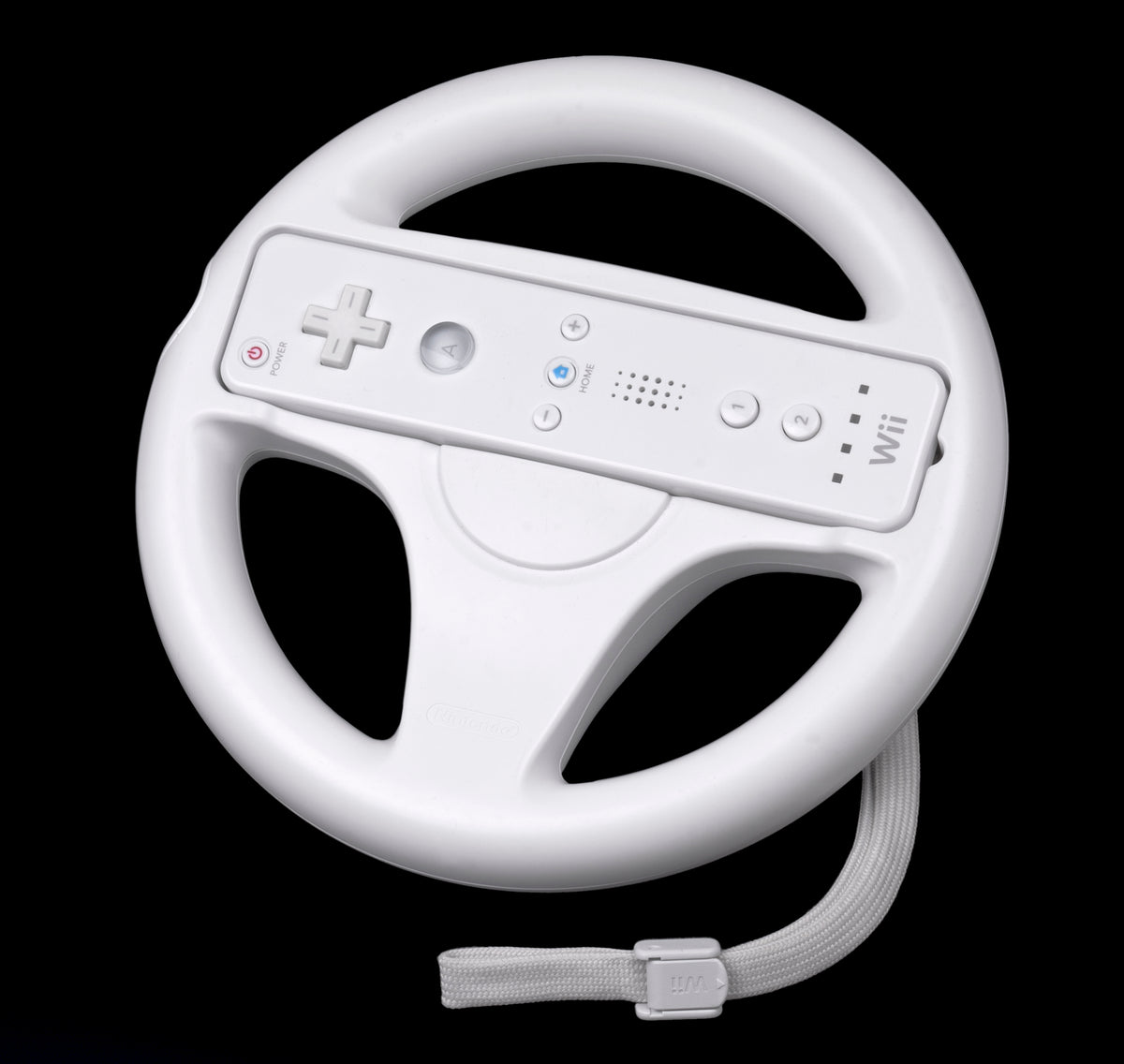
Featured photograph: a Wii Remote fitted inside a Wii Wheel, with its wrist strap visible. Evan-Amos, public domain. Reference hardware, not a photograph of items included with a Zypher game listing.
The wheel is a choice of grip
Nintendo's official game description describes placing a Wii Remote inside the wheel's casing. The remote is still part of that setup. An empty steering ring should not be mistaken for everything needed to control the game.
For buying purposes, separate the disc, working controller and optional wheel. A listing photograph can show one, two or all three. Our advice is to read the included contents rather than mentally filling in the parts outside the frame. The box art's wheel does not pack your order.
If the goal is simply to start playing, check the controller you already own before shopping for the ring. If the goal is to recreate the wheel setup, inspect the actual accessory and use Nintendo's applicable fitting instructions. Those are different shopping goals, and neither requires guessing what a seller meant by “complete.”

Choose motion steering or a stick deliberately
The original Nintendo of America instruction booklet, preserved as a scan, lists Remote alone, Remote with Wheel, Remote with Nunchuk, Classic Controller and Nintendo GameCube Controller options. Its diagrams distinguish tilt steering with the wheel from stick steering with the Nunchuk and the two pads.
That distinction should guide the decision before somebody declares one accessory mandatory. Want to steer by moving your hands? Start with the motion-control option. Prefer a stick? Consider a supported stick-based setup that your actual console and controller connections can accommodate. This guide concerns the original game and documented Nintendo controllers, rather than adapter promises or every Wii-family hardware model.
Our recommendation for a shared session is to let each player choose a comfortable supported arrangement. Do not turn somebody's first race into an argument about the correct way to hold a Nintendo accessory. The finish line will supply enough arguments shortly.
Choose for comfort and familiarity. There is no need to turn a controller preference into a claim that the same grip will make everybody faster.
Read the diagram for the controller in your hands
The booklet's wheel diagram uses the 2 Button to accelerate, while its Remote-and-Nunchuk diagram uses A. The Classic and GameCube diagrams also assign acceleration to A. An instruction shouted across the sofa can therefore be correct for one player and wrong for another.
Before the first serious race, identify acceleration, braking, items and steering on the diagram for your chosen controller. Our suggested approach is a short practice with one clear purpose: learn the inputs before judging the handling. This is especially useful when switching from the wheel to a stick. Change one thing at a time so you can tell what you actually prefer.
Keep the control arrangement consistent while learning. If you swap controllers after every poor finish, you also change the thing you are trying to get used to. A shell arriving at an inconvenient moment is not a useful diagnostic tool for the hardware.

Switch controllers at the title screen
Nintendo tells players to change controllers at the title screen and says they cannot change one during a race. It specifically limits GameCube Controller changes to the title screen. Make the decision before the race instead of trying to reorganize the setup halfway around the track.
For the broader accessory questions, read our Wii Classic Controller buying guide. That covers identifying the pad and its connection. The decision here is narrower: whether you need the wheel for Mario Kart Wii, and which documented input layout you intend to use.
Plan around local play, not the old online pitch
Nintendo's current game page prominently states that Nintendo Wi-Fi Connection ended on May 20, 2014, taking this game's official online multiplayer, Competitions and Mario Kart Channel features with it. Its older marketing text remains further down the same page. Read the shutdown notice before the sales pitch.
The page also describes playing with up to three friends at home. That is the useful distinction for a living-room setup: local racing and Nintendo's retired online services are separate questions. This guide does not promise an unofficial replacement service.
Buy the game from Zypher, then choose your controls
Buy your next physical game from Zypher Trading Video Games. Check our Mario Kart Wii for Nintendo Wii listing and read the selected copy's condition and included contents. A game purchase does not automatically include a wheel, Wii Remote, Nunchuk or console.
Shop Zypher's games, or sell your old games to Zypher when you are making room. Manufacturer instructions, service notice and game listing checked November 4, 2026. Setup and buying recommendations are Zypher editorial advice.