Taking the battery holder off an Xbox 360 wireless controller is only half the storage job. If the AAs are still inside that holder, you have simply moved the batteries a few inches away. Microsoft's original instructions specifically say not to leave batteries in the AA pack when it is detached from the controller.
That small distinction is worth making before a spare pad spends months in a drawer. This guide covers Microsoft's original Xbox 360 Wireless Controller, its removable AA holder and the official Xbox 360 Rechargeable Battery Pack. Third-party replacements need their own manufacturer's instructions. This is routine exterior care and storage, with no shell opening or battery rebuilding.
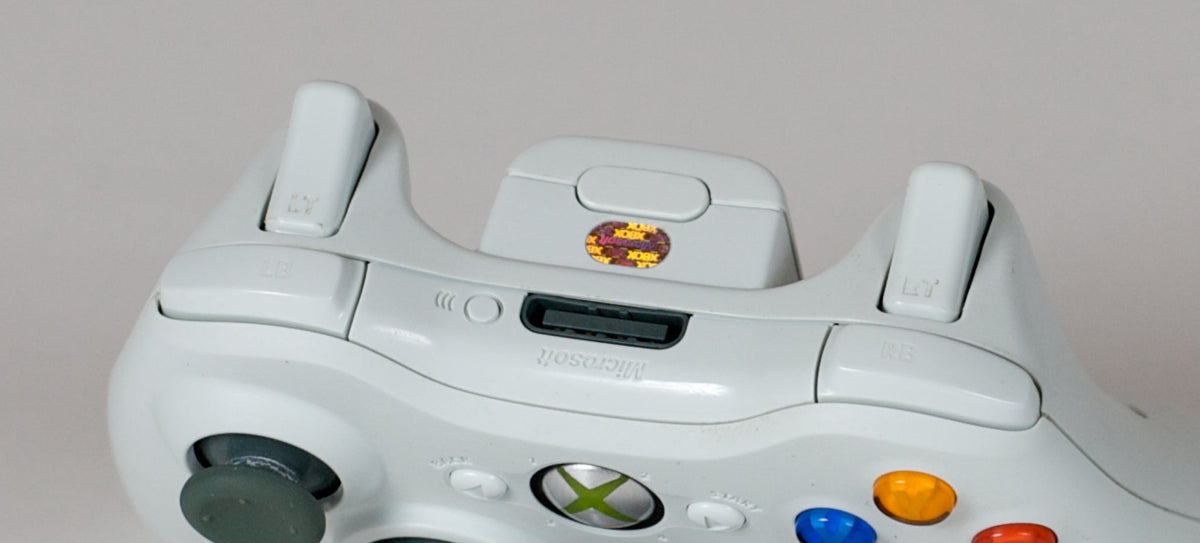
Featured photo: The top edge of a wireless Xbox 360 controller with its rear battery pack attached. Photo: Benjamin.nagel, CC BY-SA 3.0. Unchanged, with proportional display scaling.
Empty the AA holder before the long break
The original controller leaflet instructs owners to remove worn-out batteries and remove batteries before extended storage. It then adds the detached-holder rule. A battery holder beside the controller is not an empty battery holder.
Follow the documented removal sequence: press the tab at the top of the pack, detach it from the controller, and remove the cells. The instructions then show the AA holder sliding back into place and locking. For refitting, push on its flat surface to avoid pinching your fingers.
Our storage recommendation is to do that job while you still remember which controller was in use. Put a note with the pad identifying its battery hardware and any problem noticed during the last session. “Empty AA holder, both sticks worked, left bumper needs another check” is more useful when you return than a mystery bag of accessories.

Keep the two battery arrangements separate
An AA holder and the official rechargeable pack are different pieces of equipment. The controller leaflet identifies the holder's disposable AA batteries separately from Microsoft's Xbox 360 Rechargeable Battery Pack. Do not treat the plastic holder as something that becomes rechargeable because a cable is nearby.
For the official rechargeable pack, Microsoft's pack manual specifies the Xbox 360 Play & Charge Kit or Xbox 360 Quick Charge Kit for recharging. It also explains that a pack left unused can lose its charge and should be recharged normally. That instruction is more useful than experimenting with an improvised power connection.
Keep the label and charger information with an old pack. If you cannot establish which product you have, sort that out before choosing a charging method. A matching color or a familiar-looking rear shell is not enough to identify the battery inside.
Use a dry exterior wipe for this routine
Microsoft's current safety instructions explicitly include the Xbox 360 Controller. They say to turn the device off, unplug cables, clean only the exterior and use a dry cloth. Follow that dry method here. The original controller leaflet also permits a dry cloth and warns that cleaning solutions or attempts to clean connectors can damage the controller.
Wipe the accessible shell gently with a clean, dry cloth. Look at the face, grips and top edge as you go. The purpose is to remove ordinary exterior dust and notice damage before packing, rather than pushing a cloth or tool into every gap.
The rechargeable-pack manual gives its contacts a specific rule: a dry cloth only, because water or chemicals can damage them. Keep liquid away from this routine. A sticky button, visible leakage or a damaged connector changes the job; it is no longer the ordinary wipe-and-store process described here.

Give loose batteries a proper place
The official pack manual warns against carrying its battery with keys or coins, because metal can touch the terminals. Microsoft's current safety page likewise says not to place removable batteries or packs with metal objects or let metal touch their terminals.
That makes the usual mixed accessory drawer a poor default. Our practical suggestion is to keep the controller, its empty holder and its identified charging accessories organized separately from loose batteries and metal adapters. Do not drop an exposed pack into a bag of spare plugs and assume the bag has solved the storage problem.
Microsoft also warns against excessive heat and strong direct sunlight. Choose the storage location around that guidance. Keeping everything together should mean keeping an inventory together, not making every electrical contact touch every other accessory.

Do not turn an aging pack into a restoration experiment
The rechargeable-pack manual says play time decreases with age and repeated charging, and that the pack should be replaced when runtime becomes unacceptably short or it can no longer charge. That is a useful limit on what to expect from old hardware. Original advertised endurance is not evidence of an individual used pack's current performance.
Do not open, puncture, modify or short a battery pack. If a battery is damaged, wet or leaking, stop the routine and follow the applicable manufacturer handling and disposal guidance. This article does not provide a chemical cleanup or recovery procedure. Do not handle leaked fluid as ordinary dust.
Leave a useful record for the next session
Before storage, record whether the pad used disposable cells or the official rechargeable pack, which accessories belong with it, and anything that deserves another check. When you return, inspect it again before fitting suitable power and testing it in the setup you intend to use.
Keep care and compatibility as separate questions. Our Xbox 360 controller connection guide covers the different jobs of a wired pad, charging cable and PC receiver. Emptying an AA holder protects your storage plan; it does not answer which connection your computer needs.
Build the Xbox 360 setup you want to return to
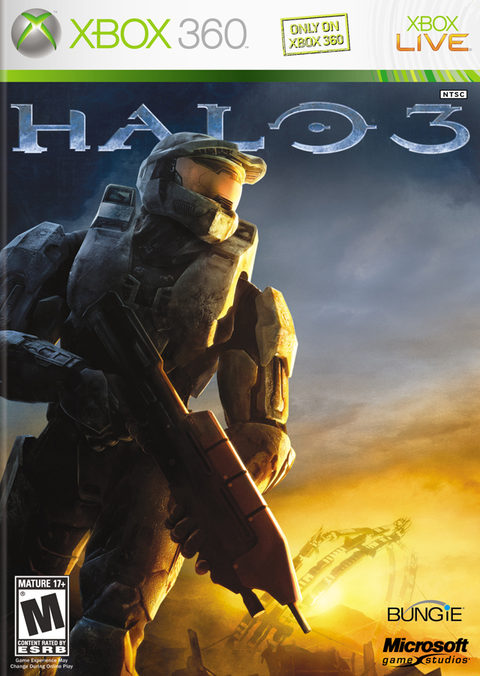
Shop Xbox 360 at Zypher Trading Video Games. Check the Xbox 360 S console listing and its selected condition and included hardware. For a game to return to, see Halo 3 for Xbox 360. The game listing does not include a controller, battery pack or charging kit unless its description explicitly says so.
Sell your old games to Zypher when you need shelf space, and check current eligibility and condition requirements.
Sources and photo credits
- Microsoft Xbox 360 Wireless Controller leaflet, Part No. X16-69974-05
- Microsoft Xbox 360 Rechargeable Battery Pack manual
- Microsoft current safety instructions, explicitly including Xbox 360 Controller
Manufacturer guidance, exact photo licenses and product listings checked November 10, 2026. This routine uses the shared dry-cloth method supported by the original leaflet and current safety page; it gives no solvent or internal-repair instructions. Archival photos illustrate hardware types, not specific Zypher stock or a new hands-on cleaning test. Photo credits and licenses are beside each image.