Yes, a PS4 DualShock 4 controller works on PS5 with supported PS4 games. It does not work as the direct controller for PS5 games. The version you launch decides which side of that rule you land on. A familiar game logo is not enough.
That makes a working DualShock 4 worth keeping when your PS4 library moves to a PS5. It also makes it a poor purchase if your entire plan is playing PS5 editions. Before buying another pad or declaring yours broken, check what the console is actually running.
Featured photograph: original PlayStation 4 and DualShock 4, by Evan-Amos, public domain. This shows the controller's original console, not a PS5.
The controller rule follows the game version
PlayStation's current backward-compatibility guide supports both DualShock 4 and DualSense for compatible PS4 games on PS5. For the two Sony controllers discussed here, use this comparison:
| What you are playing | DualShock 4 | DualSense |
|---|---|---|
| Supported PS4 game on PS5 | Supported | Supported |
| PS5 game on PS5 | Not supported directly | Supported |
| Game running on a PS4 console | Supported | Not natively compatible with PS4 |
The last row comes from Sony's PS5 FAQ. Compatibility does not simply reverse because both controllers have two sticks and the same four face-button symbols. DualSense is not a direct replacement pad for a PS4 console.

Check the version before troubleshooting the pad
If you own both versions of a game, Sony's version-selection instructions give you a useful check:
- Open Game Library from Games home.
- Highlight the game and press X.
- Open the ... options and choose the version to download or play.
On that screen, Sony identifies PS4 versions with PS4 beside the title; PS5 versions show the title without that label. Select the PS4 version if that is the compatible release you own and intend to use with DualShock 4.
Do not change versions casually if you are midway through a game. Our PS4-to-PS5 save guide covers the separate progress-transfer question. Sorting out controller support should not become an accidental experiment with the only save you wanted to keep.
Pair DualShock 4 using Sony's console procedure
Sony's DualShock 4 support page specifies the same basic pairing route for PS4 and PS5: turn the console on, connect the controller using its USB cable, and press the PS button if the controller is off. The light bar blinks before the player indicator lights.
Once it has sufficient charge, disconnect the cable for wireless use. A DualShock 4 pairs with one console at a time, so moving it between a PS4 and PS5 means pairing it with the destination again. Keeping a cable beside the machines saves a very boring scavenger hunt.

Successful pairing does not override the game-version restriction. If the pad responds but your intended PS5 game will not accept it, return to the compatibility check. Repeating pairing cannot turn a DualShock 4 into a DualSense.
Why Remote Play answers can sound contradictory
You may see someone playing a PS5 game with DualShock 4 through PS Remote Play. Sony's other-device controller guide allows DualShock 4 with compatible devices and games streamed from PS5 or PS4 through the app.
In that setup, the controller connects to the receiving device while the console streams the game. That is a different connection path from pairing DualShock 4 directly to PS5 for TV play.
The Remote Play requirements include a compatible receiving device, the app, a source console and a suitable network connection. Sony specifies at least 5 Mbps broadband and recommends 15 Mbps for a better experience. Check its current device and feature requirements before planning around this route. Streaming adds a setup to maintain; it is not a reason to buy the wrong controller for ordinary TV play.
Buy for the library you will actually use
Our recommendation: keep a healthy DualShock 4 for supported PS4 software, and plan on a PS5-compatible controller for PS5 software. For a used pad, ask to see it working with the intended game version. Have the seller identify the console and version used. “Works on PlayStation” covers rather a lot of plastic.
Third-party pads need their own manufacturer compatibility check. Sony warns that not every licensed or third-party controller works with PS5 and every title. A familiar shape or a USB connection is not enough evidence.
Build your PlayStation shelf at Zypher
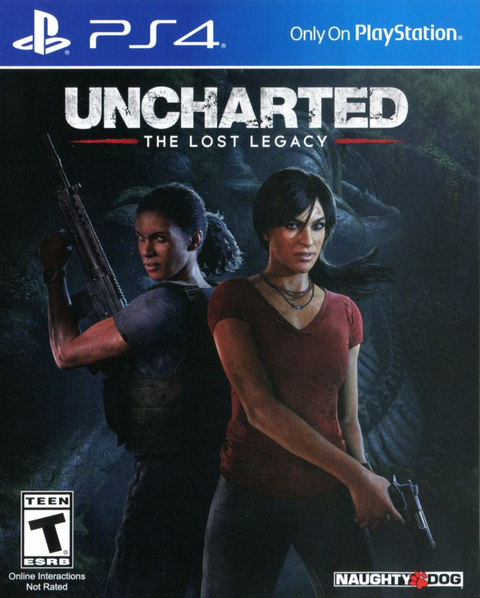
Shop Zypher for the exact platform you want, including Uncharted 4: A Thief's End for PS4 and Uncharted: The Lost Legacy for PS4. These links identify the PS4 releases, not a PS5 collection or a controller bundle. Check each listing's current condition and contents before ordering.
Changing systems or clearing duplicates? Sell your old games to Zypher through the Zypher Buy List. Get the right games for your setup and give the shelf some breathing room.
Official PlayStation sources, exact photo licenses and current Zypher listings checked October 31, 2026. This is a research-based compatibility guide; it does not claim firsthand controller testing. Photo credits identify the pictured hardware and do not imply endorsement.