ZYPHER XP | CONSOLE CARE
The disc tray should not join in when you wipe the front of an Xbox 360 S. Microsoft's original manual gives a practical reason to disconnect its power supply from electrical power before cleaning: preventing accidental power changes or tray ejection. Start there, before deciding what to do about a fingerprint.
This routine covers the exterior of the Xbox 360 S, including its glossy shell. It follows the original model's instructions. The original Xbox 360, Xbox 360 E and newer Xbox consoles are separate hardware; a cleaning recommendation for one should not silently become permission to use the same product on another.
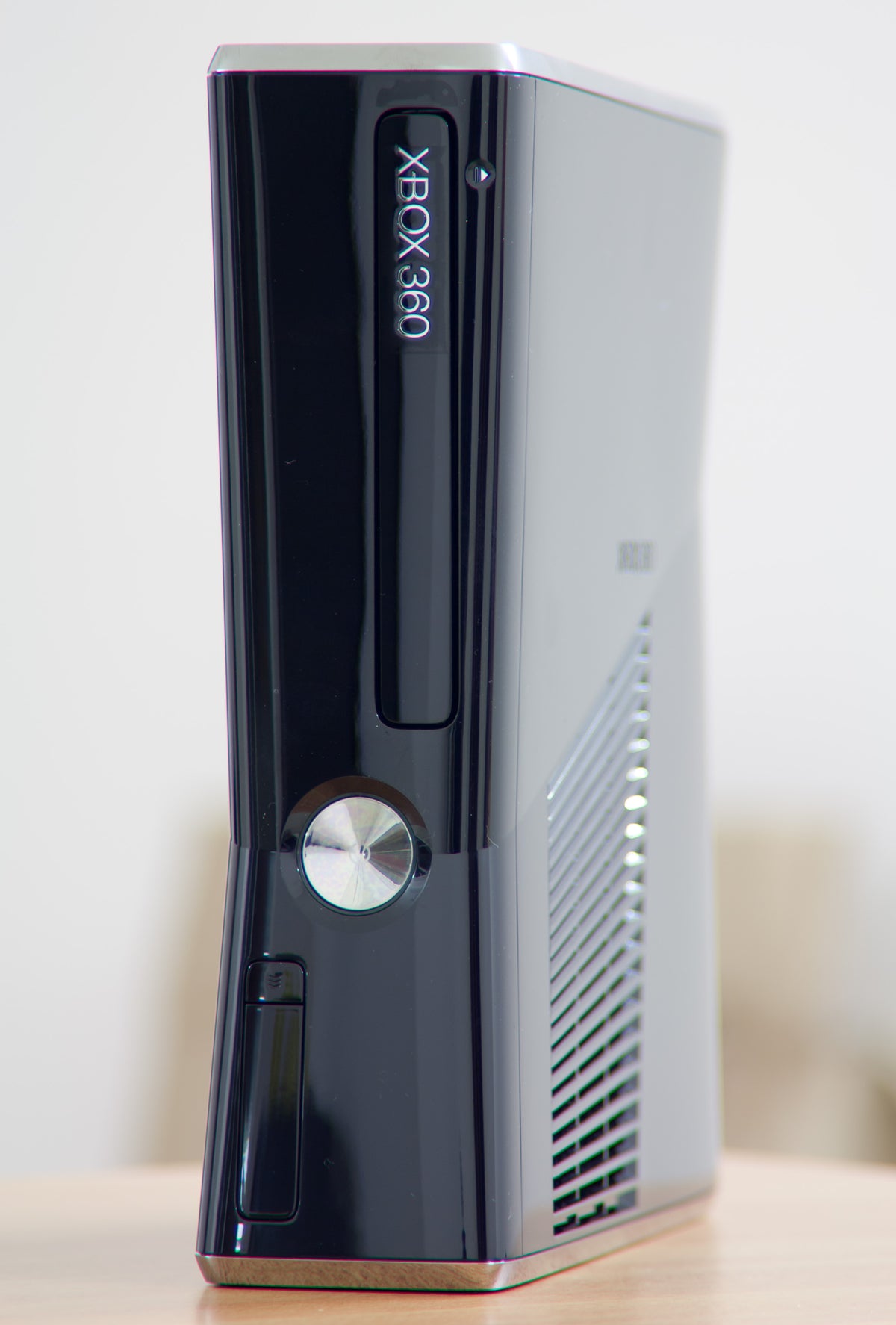
Featured photograph: glossy Xbox 360 S, by pulkitsinha, CC BY-SA 2.0. Complete photograph, unchanged apart from proportional display sizing. It identifies the hardware, not a Zypher cleaning demonstration.
Disconnect before working around the front panel
The original Xbox 360 S manual, under “Take Care of Your Xbox,” says to disconnect the console power supply from electrical power before cleaning. Turning the console off is not the whole instruction.
Our suggested preparation is to finish the session normally, power down and disconnect before bringing the cloth to the shell. Give yourself enough working room to see the surface. If reaching around the console requires balancing it against a stack of cases, organize the space first.
The point is a predictable job: a stationary console, an accessible exterior and no unexpected response from the front controls. Keep the job limited to the surface you can actually see.
The S manual specifies a dry cloth
Microsoft's method is exterior cleaning with a dry cloth. The manual rules out abrasive pads, detergents, scouring powders, solvents including alcohol, and other liquid or aerosol cleaners. It also says not to use compressed air or DVD head-cleaner devices, and not to attempt connector cleaning.
For this routine, bring a clean, dry cloth to the accessible outside surfaces. A stubborn mark does not create an exception to the restrictions. If the dry method is not addressing the problem, stop and identify what kind of problem you have instead of escalating through whatever cleaning products happen to be nearby.
This is especially useful with an older glossy console. Decide whether you are removing ordinary exterior dust or pursuing a cosmetic defect. A scratch, discoloration or damaged finish deserves a different assessment from loose dust. Repeatedly working the same mark is not a substitute for knowing which one you are looking at.

Leave vents and connectors alone
The manual limits cleaning to the outside and says not to insert objects into ventilation openings. Treat the grille as a boundary. The visible slot between two pieces of plastic is not an invitation to push a cloth corner, brush or improvised tool farther inside.
The same discipline helps when inspecting ports. Look at the outside and note a problem you can describe. Do not turn that observation into scraping a connector or using a spray, because neither is part of this documented routine.
If you notice something lodged inside, the next useful action is to stop the exterior cleaning job. Keep a note of the location and what you observed. “Visible material inside the rear connection” gives a technician a clearer starting point than a connector that has already been worked over with several tools.
Give the console and its power supply a usable location
The setup instructions call for a stable, flat, level surface, clear ventilation and no items stacked on the console. Both the console and its power supply need unobstructed airflow. The care section also specifies dry-cloth cleaning for the console feet and the surface beneath them.
The separate power supply needs its own place in the plan. Find it before returning the console to the shelf, and check whether loose cases or accessories will crowd it. Keep the console and supply as two separate items on your placement checklist, rather than finishing the job after looking only at the glossy shell.
If changing the console's orientation, the manual says to turn it off and leave no disc in the tray first. Make that check before rearranging the setup. Do not use the photograph's vertical position as a reason to rotate a machine during a session.
Keep care separate from a repair claim
A completed exterior wipe tells you that you followed an exterior-care routine. It does not establish the condition of the disc drive or resolve an operating fault. Note any continuing problem separately so the next person does not mistake “cleaned” for a full functional test.
Find your Xbox 360 setup at Zypher
See Zypher's Xbox 360 S console listing and check the selected unit's condition, capacity and included hardware. The archival photographs identify the model, not the exact unit supplied. Reorganizing your collection? Sell your old games to Zypher and check the current eligibility and condition requirements.


